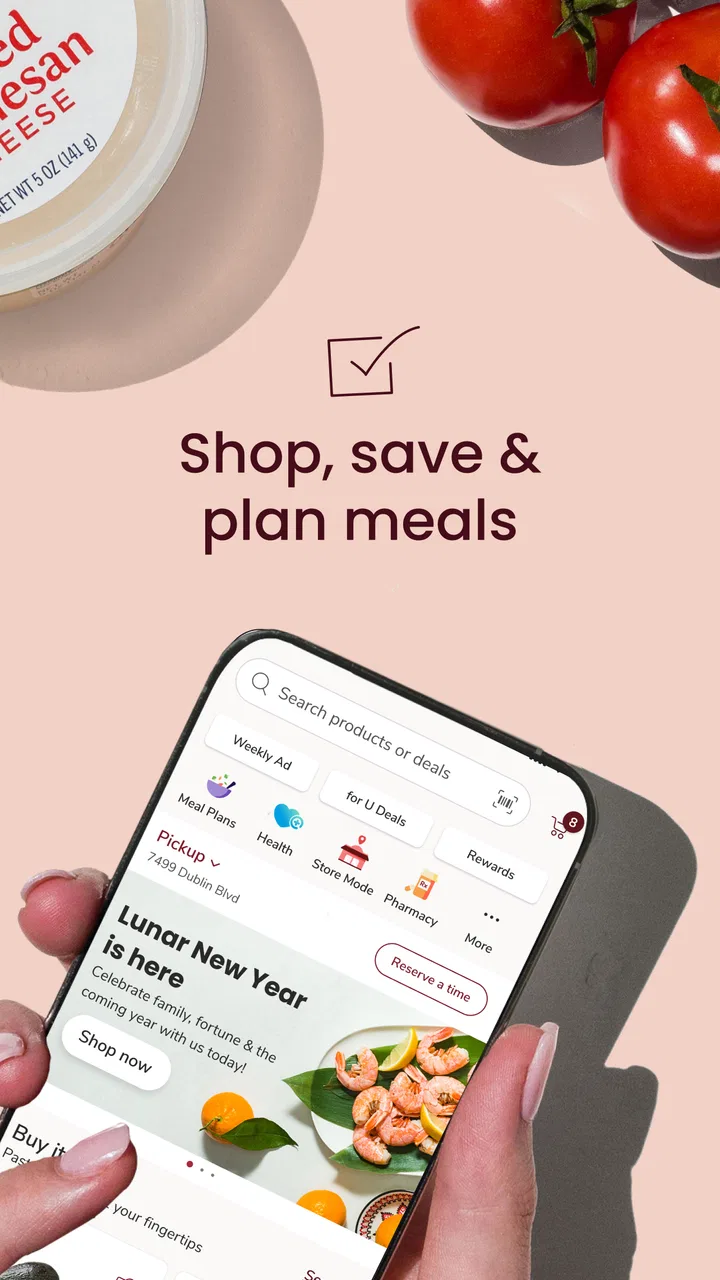
ACME Markets Deals & Delivery
- 4.8
- Rating
- 1.00M
- Installs
- Free
- Price

 Analysis by App-foxy
When I shop at ACME Markets, the part that makes the biggest difference is not simply seeing groceries on a phone. It is being able to connect weekly deals, digital coupons, fuel information, pharmacy refills, and a pickup or delivery order in one shopping routine. I tested ACME Markets Deals & Delivery with that specific convenience in mind, and I found it most useful when I planned before entering the store rather than treating it as a basic product catalog.
This is a free shopping app from Albertsons Companies, Inc., available for everyone and supported on Android devices running version 8.0 or later. Its average rating is 4.8 from around 44 thousand ratings, with over 1 million installs, so it is clearly aimed at regular household shopping rather than occasional browsing. The current version is 2026.27.0, and the app has been available since March 20, 2018.
Why the coupon-to-order workflow matters
The app’s strongest capability is the way it lets me prepare a grocery trip around available savings and then carry that preparation into pickup or delivery. That sounds like a small distinction, but it changes how I shop. Instead of remembering a paper circular, searching separate coupon pages, and rebuilding the same basket elsewhere, I can look through deals, save the relevant coupons, and use the resulting plan as the starting point for my order.
You May Also Like

 Blood Strike: 2.5 Anniversary
Blood Strike’s Loadouts Turn Every Drop Into a Tactical Gamble
A close look at Blood Strike’s custom loadouts: how fast access to signature weapons reshapes its battle royale rhythm, rewards preparation, and narrows the gap between fights.

 Pandora - Music & Podcasts
Pandora’s Music Is Easy to Start, but Harder to Recover
Pandora’s strength is its low-effort path from a seed to a station. Its weak spot is how much confidence it asks you to place in connection, setup, and quiet recovery.

 8 Ball Pool
 Is Built on Rivalries, Rematches, and Routine
A close look at the rivalries, rematches, shared routines, and unanswered safety questions that turn a quick pool match into a persistent mobile community.

 Samsung Music
’s Quiet Strength Is Playing What You Already Own
Its reach comes less from spectacle than from dependable access to a personal library. That simplicity is both the app’s strongest retention engine and its ceiling.

 AccuWeather: Weather Radar
AccuWeather Review: A Quick, Clear Forecast for Everyday Decisions
For everyday plans, the best forecast is the one you can understand quickly. AccuWeather makes rain timing, radar, and local conditions easy to act on, with a few trade-offs.

 Hill Climb Racing
Why Hill Climb Racing Still Turns Crashes Into One More Run
A tiny car, a bumpy hill and one more upgrade: Hill Climb Racing keeps resurfacing because its simple chaos makes every near-miss feel personal.
More From Our News Desk



I do not see this as a replacement for every kind of grocery shopping. It is better understood as a planning layer for ACME customers. If I already know which store I use and I want to make a deliberate list, the app reduces the number of separate steps. If I am only looking for the absolute lowest price across several supermarket chains, a dedicated comparison habit may still serve me better.
The useful idea is the connection between discovery and action. A coupon is not much help if it remains buried in a separate screen or forgotten at checkout. Here, the practical goal is to clip the offers that match my household’s needs and then build the order around them. That makes the app especially relevant for repeat purchases, larger weekly shops, and anyone trying to make a grocery budget more predictable.
Deals are most valuable when I use them selectively
My first recommendation is not to clip everything. A long list of saved offers can create the illusion of savings while encouraging unnecessary purchases. I get more value by checking the deals before making my list, then clipping only items I would genuinely buy. This turns the app from a stream of promotions into a filter for a real meal plan.
That approach also helps with substitutions in my own planning. If a preferred brand is not featured, I can decide whether the deal is worth changing my choice before I start the order. The app can support that decision, but it does not remove the need to read the offer carefully. Coupon conditions, product sizes, and eligible varieties still matter, and I would not assume that every visually similar item qualifies.
The real advantage is not the coupon itself; it is attaching the coupon to a shopping decision before I spend. That is why I find the feature more useful for planned shopping than for a rushed visit where I am already walking through the aisles.
How the process feels in everyday use
I begin by opening the deals area and scanning for products already on my list. When I find a suitable offer, I clip it rather than relying on memory. I then move into the grocery shopping flow and add the items I need. The important habit is to keep checking the basket against the original list, because a promotion can make an item look attractive without making it necessary.
For pickup or delivery, the app gives the planning process a second purpose. I can prepare the order at a convenient time instead of making every decision inside the store. That is helpful after work, when I know what the household needs but do not want to spend extra time walking through every aisle. It is also useful when I am buying bulky or routine items and would rather reserve my in-store attention for fresh choices.
I would still review the final basket carefully before submitting it. Online grocery ordering introduces its own friction: a product may be unavailable, an alternative may not match what I intended, and a deal may apply only to a particular product variation. The app makes ordering more organized, but it cannot turn grocery inventory into a guarantee. I treat the digital basket as a plan that needs a final check, not as a perfect mirror of the shelves.
Pickup and delivery suit different shopping habits
Pickup makes the most sense for me when I want control over the order but do not need someone to bring it to my door. It can be a good middle ground for a weekly shop: I choose items at home, then collect them without repeating the entire browsing process in the store. Delivery is more valuable when travel is difficult, time is tight, or the order contains items I would rather not carry.
The trade-off is that convenience can make last-minute judgment harder. In a store, I can notice a better substitute, compare package sizes directly, or change dinner plans when an ingredient looks disappointing. With delivery or pickup, I need to make those calls earlier. I therefore prefer the app for repeatable staples and planned meals, while I am more cautious about relying on it for a highly specific fresh-food selection.
One detail I appreciate is that the same shopping environment also includes fuel-finding information and pharmacy refill tools. I would not use those sections as a reason to install a grocery app by themselves, but they make the app more practical for an existing ACME customer. A household errand can involve groceries, a prescription refill, and a fuel stop; having those tasks near the same account or shopping routine can reduce app switching.
A realistic weekly example
Imagine I am preparing for a busy week and need breakfast items, ingredients for several dinners, household supplies, and a prescription refill. I can first review the available deals and clip only the offers that match my list. Then I can assemble the grocery order for pickup, check the basket for sizes and substitutions, and use the pharmacy area separately for the refill. Before leaving, I can check fuel information if that is part of the same trip.
The benefit is not that the app invents a meal plan for me. The benefit is that it lets me make several small decisions before the rushed part of the day begins. I am less likely to forget a coupon, overlook a routine item, or arrive at the store without knowing whether I want to shop in person or collect an order.
For that scenario, I would use the app in two stages: planning earlier, then confirming shortly before the order or trip. That timing matters. Checking too early can leave me with an outdated basket or a deal I no longer need, while checking only at checkout defeats much of the preparation benefit.
Where the convenience has limits
The app’s usefulness depends heavily on whether ACME Markets is already part of my normal shopping route. It is not the right choice for someone who wants one neutral marketplace containing every supermarket. Its deals and ordering experience are tied to the ACME shopping context, so shoppers who routinely move between competing stores may prefer a broader comparison tool or each retailer’s own app.
I also would not treat the 4.8 average as proof that every workflow will feel effortless. Ratings reflect many kinds of use, while my experience is shaped by how carefully I plan, how familiar I am with the store’s products, and whether I am ordering at a busy moment. A high rating is encouraging, but it does not eliminate ordinary digital-shopping frustrations such as searching for the right variation or reviewing a replacement.
Another limitation is attention. The app brings deals into the shopping process, which is helpful, but promotions can also pull me away from the list. I have to keep a firm distinction between “discounted” and “needed.” For families with a strict budget, that discipline is especially important because several small promotional purchases can still increase the total.
There is also a learning curve in understanding the best order of operations. New users may open the app, start filling a basket, and only later discover that they should have reviewed and clipped relevant offers first. I recommend beginning with the deals section, moving to the list, and finishing with a basket review. That sequence is more reliable than shopping first and hoping savings apply automatically.
What I would check before relying on an order
I compare the clipped offer with the exact product, size, and variety I intend to buy.
I review the basket after adding promotional items so that a deal has not changed the list unnecessarily.
I check the order again near collection or delivery time, especially when the shop contains items that are difficult to replace.
I keep pharmacy needs and grocery needs organized separately, even though both are available in the same app.
These checks are not signs that the app fails. They are the normal safeguards I use with any digital grocery order. The app reduces planning work, but it still rewards an attentive shopper.
Who gets the most from ACME Markets
I think the best match is a regular ACME customer who wants one place to prepare recurring grocery trips and make better use of store deals. It is particularly suitable for people who prefer pickup or delivery, households that repeat many of the same purchases, and shoppers who want to handle grocery planning outside the store. The free price also makes it easy to try without adding a subscription commitment.
It can be useful for a caregiver or family organizer as well. Someone managing several errands may appreciate having grocery ordering, fuel-finding information, and prescription refills available in the same app rather than keeping separate routines. The value is greatest when those tasks already belong to the same ACME visit or account, because that is when the app’s connected design saves real effort.
I would be more cautious about recommending it to a shopper who changes supermarkets constantly, enjoys browsing every aisle for spontaneous ideas, or needs highly detailed cross-store price comparisons. Those users may find the ACME focus restrictive. Likewise, if I only shop for a few fresh items and rarely use coupons, opening a full grocery app may be more work than simply visiting the store.
For accessibility and household simplicity, the Everyone content rating is reassuring, but it does not tell me how every individual will find the interface. The minimum Android requirement of version 8.0 makes it compatible with many older devices, while iPhone users can look for the corresponding iOS edition. In either case, the quality of the experience will still depend on the phone, connection, and the user’s comfort with digital ordering.
My practical verdict
After using it as a planning tool rather than a simple shopping catalog, I see ACME Markets Deals & Delivery as a focused companion for customers who already shop with ACME. Its best feature is the path from finding a relevant deal to building a grocery order around it, with pickup and delivery available when I do not want to repeat the store visit in full.
I would install it if ACME is my regular supermarket and I am willing to spend a few minutes planning before shopping. I would skip it if I need a retailer-neutral comparison service or if my shopping style is almost entirely spontaneous. The app does not remove every grocery-shopping decision, and it cannot replace a careful final review, but it can make a recurring weekly routine more deliberate and less scattered.
My final advice is simple: make your list first, clip only offers that fit it, then use pickup or delivery when convenience matters more than browsing. Used that way, the app feels less like a collection of promotions and more like a practical control panel for an ACME shopping trip.
FAQs for ACME Markets Deals & Delivery
01What is ACME Markets Deals & Delivery?
ACME Markets Deals & Delivery is a shopping app designed for ACME customers who want to browse weekly specials, build a grocery order, and arrange pickup or delivery from participating stores. The app can help you compare products, view digital promotions, manage your shopping list, and save time by completing more of the shopping process from your phone instead of walking through every aisle.
02Can I use the app to order groceries for delivery or pickup?
In supported locations, the app allows you to select a nearby ACME store, add eligible groceries to your cart, and choose either delivery or store pickup at checkout. Availability depends on your address, store inventory, operating hours, and local service coverage. Before placing an order, check the available time slots, service fees, minimum order requirements, and any substitutions offered for unavailable products.
03How do ACME digital coupons and deals work?
The app may display weekly deals, personalized offers, and digital coupons that can be added to your account before shopping. After signing in and linking the appropriate loyalty information, eligible discounts are generally applied when you purchase qualifying products. Read each offer carefully because restrictions such as quantity limits, expiration dates, participating stores, and required loyalty membership may apply.
04Do I need an ACME account or loyalty membership to use the app?
You may be able to browse products, stores, and promotions without creating an account, but an account is typically needed for features such as digital coupons, saved shopping lists, order history, checkout, and delivery or pickup scheduling. Linking your loyalty membership can also help apply member pricing and personalized offers. Have your contact and payment details ready when registering.
05Are product prices, substitutions, and fees shown in the app final?
The app usually shows estimated prices and order totals before checkout, but the final amount can change because of weighted items, substitutions, unavailable products, taxes, deposits, delivery charges, or other service fees. Review the substitution preferences and checkout summary carefully. If an item is replaced, the price and suitability may differ, so inspect your order promptly after receiving it.
Pros
- Easy browsing of current deals and discounts in one place.
- Convenient delivery options for eligible products and locations.
- Useful search and category filters for finding items quickly.
- Order updates help you track purchases from checkout to delivery.
- Digital promotions can reduce costs on regular household shopping.
Cons
- Availability of deals and delivery services may vary by location.
- Some promotions may require minimum purchases or specific conditions.
- Delivery fees can reduce the value of smaller orders.
- Product stock and prices may change before checkout is completed.
- The app may require an account to access ordering features.

ACME Markets Deals & Delivery
Gallery